
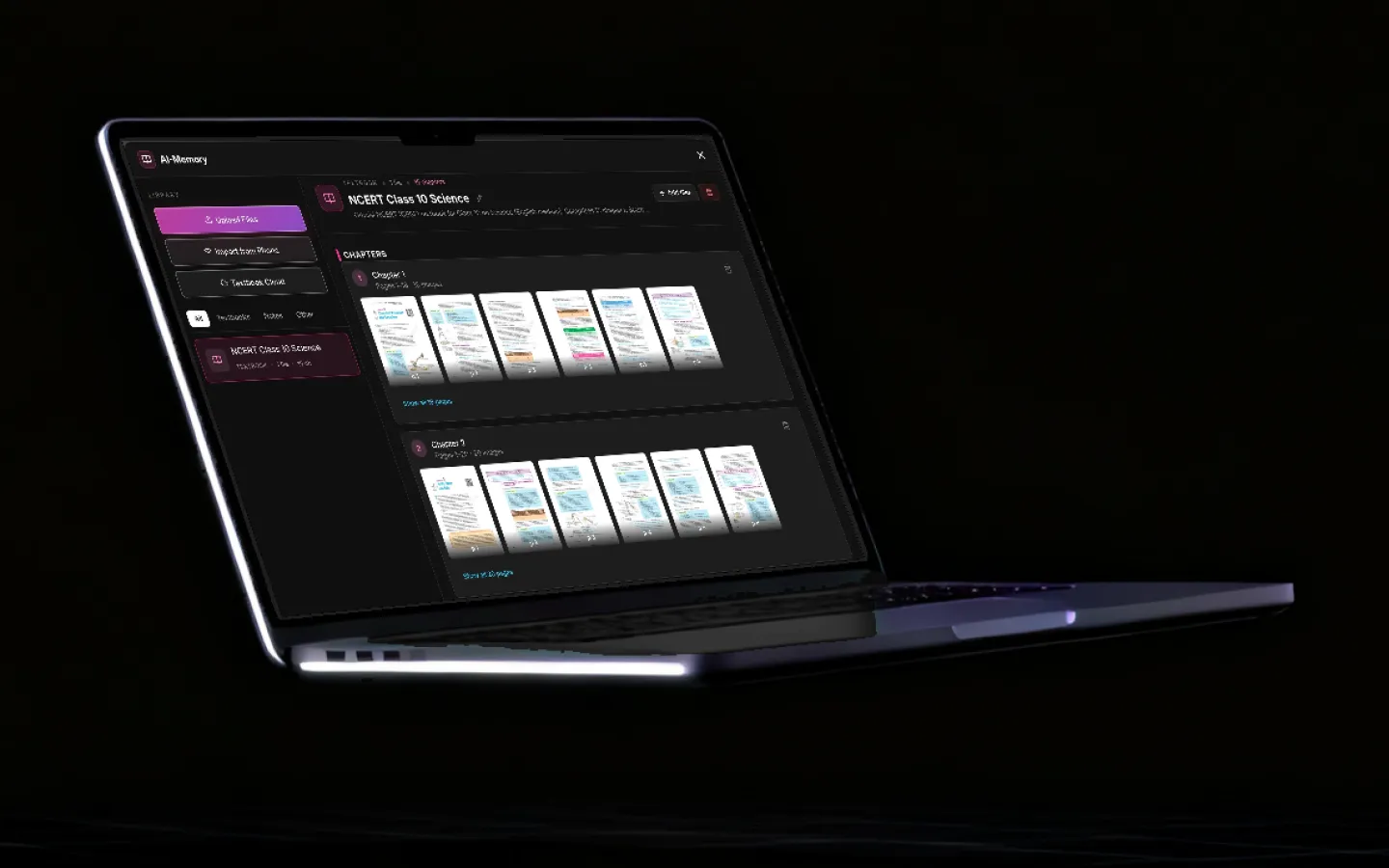
How students use Grout from the first lecture to the hand-in.
Grout is three desktop apps on one account, running 200+ AI models on your own laptop. You study from the textbook your course actually uses, build the project in a real editor, and hand it in from the same machine. Here is what a semester looks like.
Updated
A semester in four moves
Learn it in GroutApp, build it in GroutCode, tell it in GroutFilm, then sit the exam in the same app. Each step runs on the laptop you already own.
- 01Learn it
Ask your own textbook
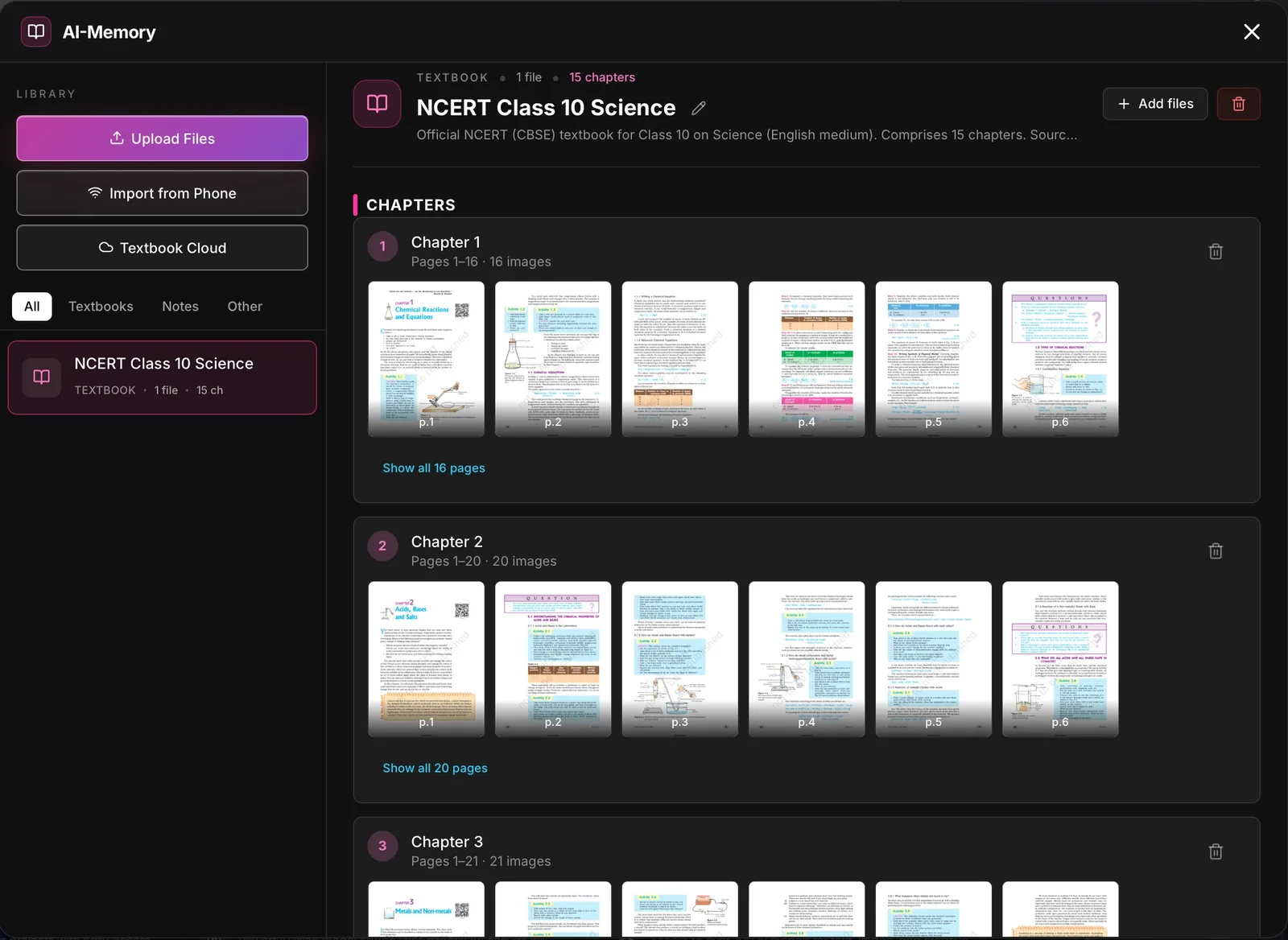
Drop the course textbook into AI-Memory in GroutApp and ask it questions. Answers come back with the page reference, so you can check them against the book. Photograph handwritten notes and vision AI turns them into a clean outline you can search.
- 02Learn it
Get taught, not just answered
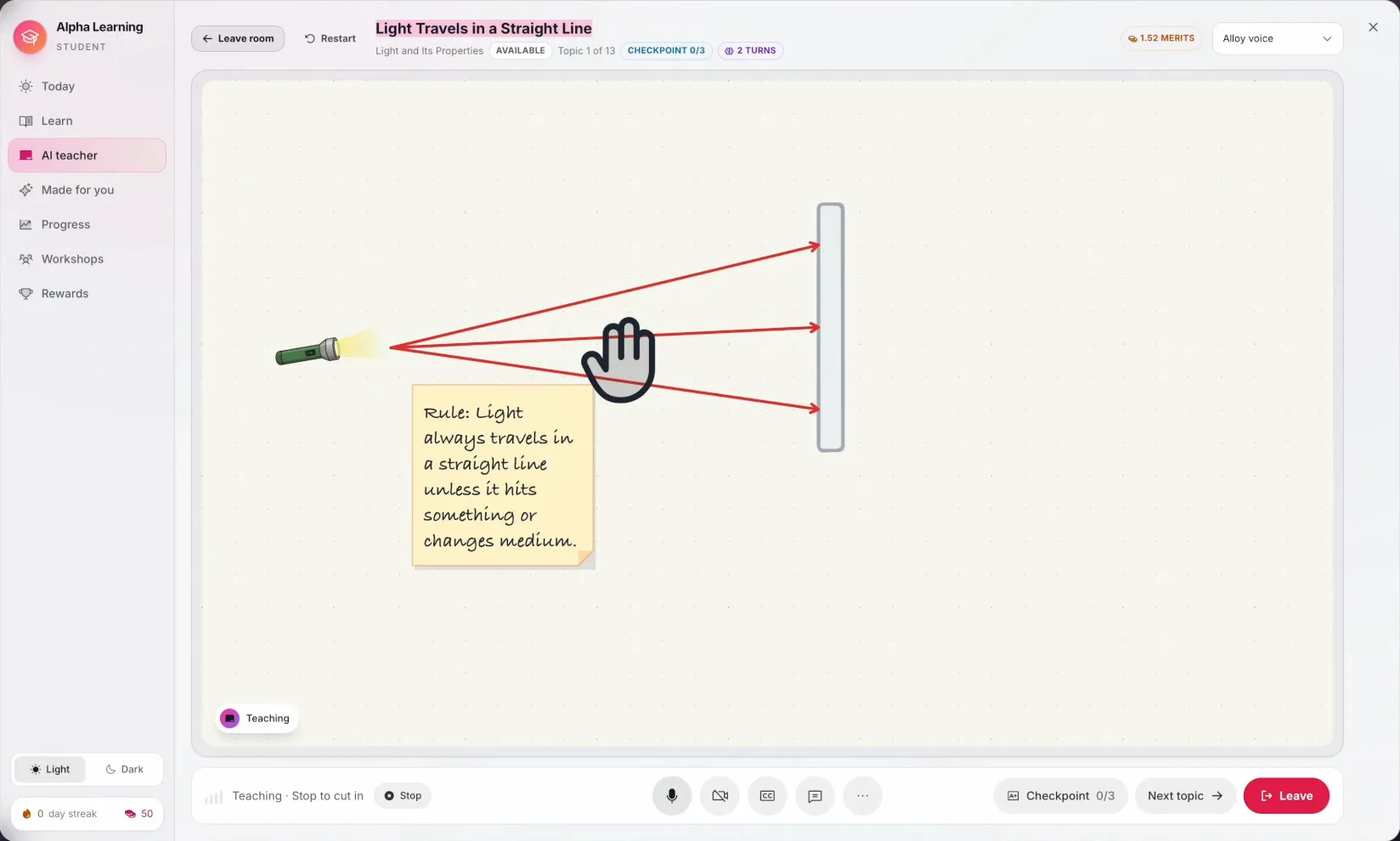
AI Teacher in Alpha Learning teaches one topic at a time at a whiteboard, by voice, and ends with a checkpoint quiz. It builds the lesson from your syllabus or your own textbook and adapts to how you learn. Every account gets 30 free minutes; offline, the on-device voice tutors take over.
- 03Build it
Build the practical in a real editor
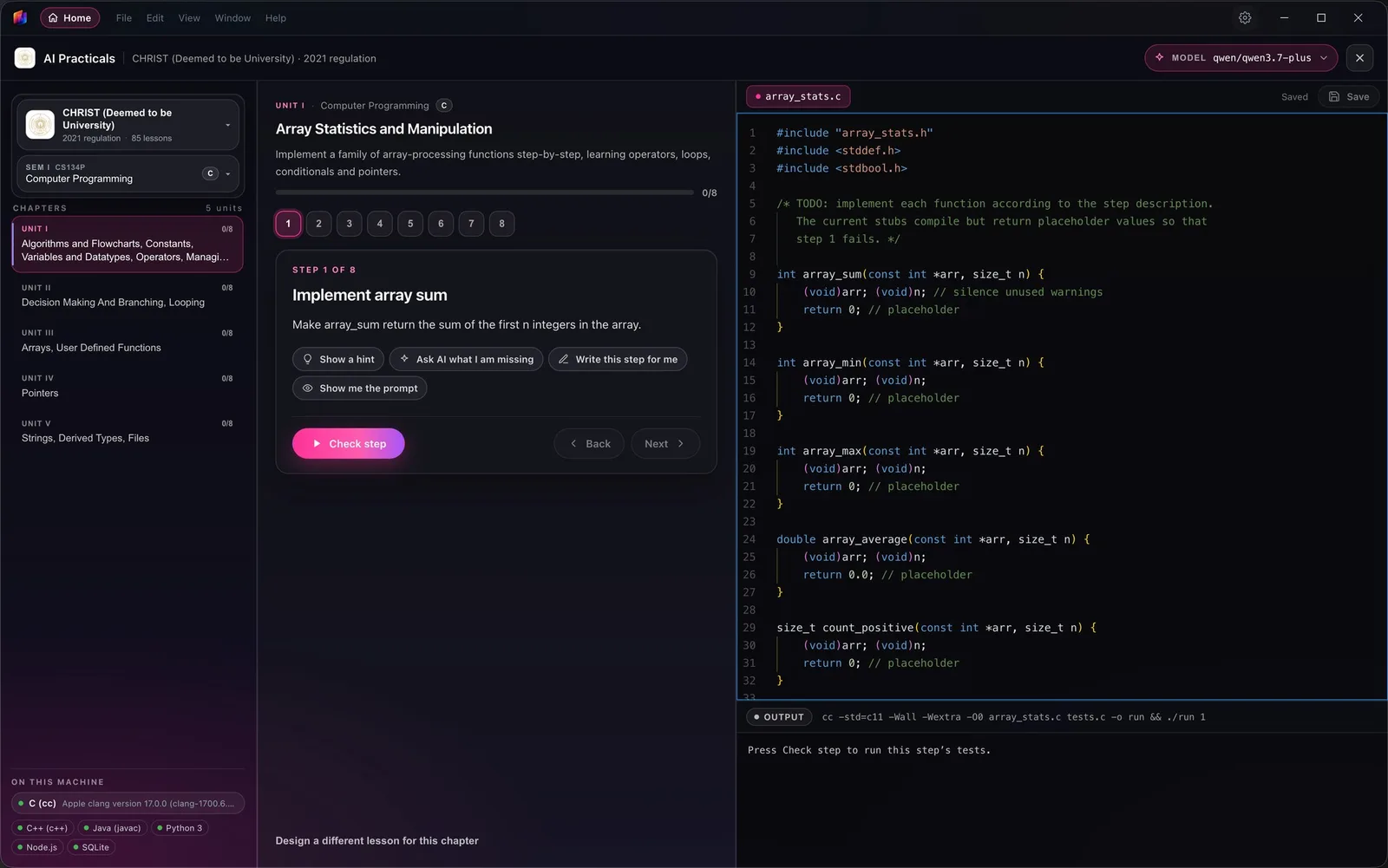
GroutCode is a coding studio with an editor, Git and a terminal. Lab practicals come as step-by-step lessons for 32 syllabuses, 1,322 of them, and every step is compiler-checked: the code has to run before you move on. An on-device agent explains the error instead of pasting a fix.
- 04Tell it
Cut the project film and hand it in
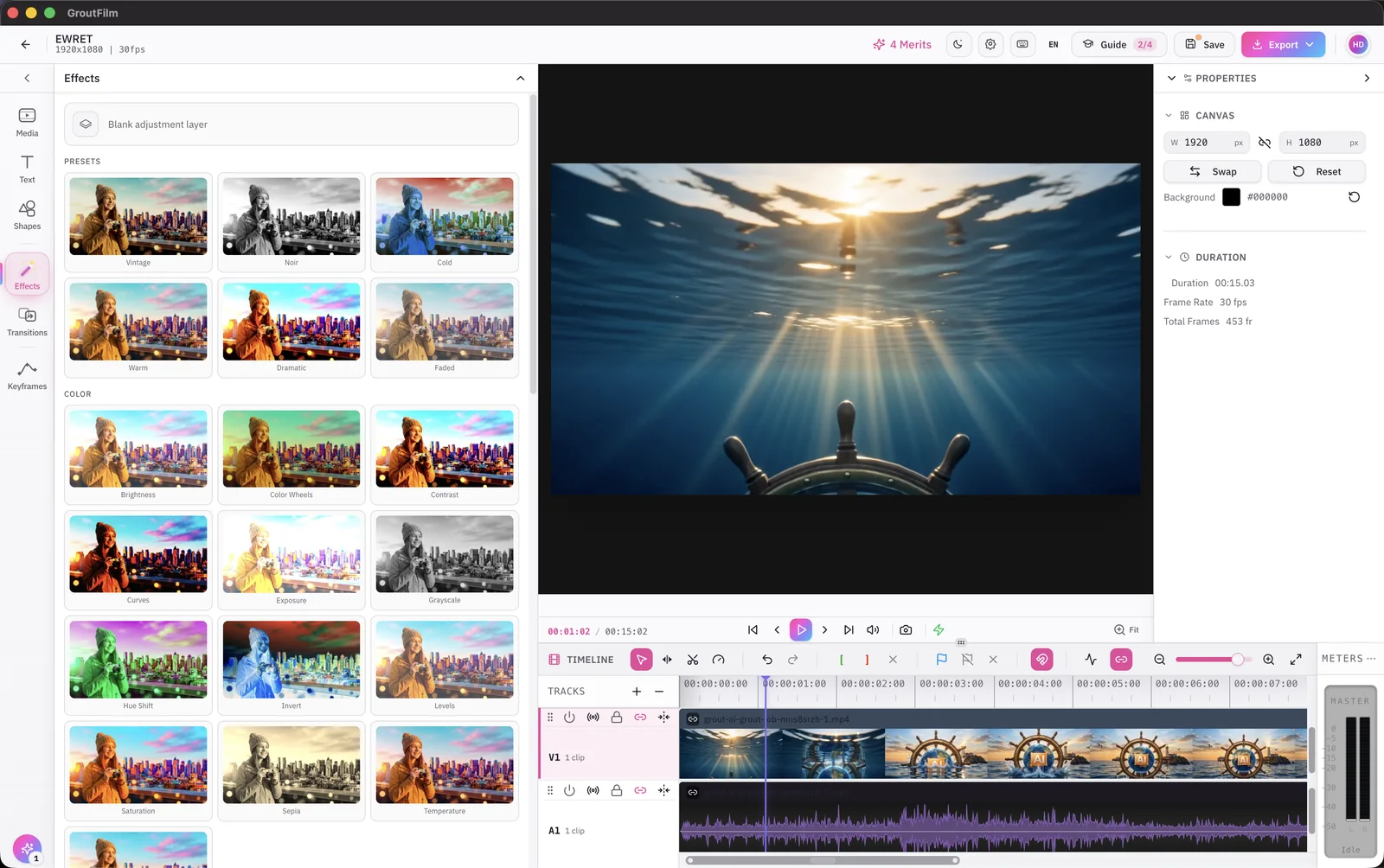
Record the demo, drop the clips into GroutFilm's multi-track timeline, and export on your own machine. Assignments and projects go in through the app, and your work is processed on the laptop rather than uploaded to a cloud model.
The screens you will live in
Real app screens, not mock-ups. Names are changed; everything else is as shipped.
What runs on your laptop, and what needs the internet
Grout is a paid, licensed product and you sign in with a Grout account. Once signed in, the 200+ local models run without a connection: studying from your textbook, reading your notes, the coding agent, the compiler checks and the video editor all happen on the machine. Train with no signal, hostel Wi-Fi that drops, a lab on a filtered network: none of it matters to the work.
Two things do use the network. AI Teacher runs on Google Gemini Live, so a live lesson needs a connection; after the 30 free minutes you buy lesson time in the app or use your own Google key. And Nexus AI, an opt-in module, offers 300+ cloud models for harder tasks and uses Merits when you choose it.
What you need
- A Windows or macOS laptop. There is no Linux build.
- A Grout account, individual or through your institution.
- Disk space for the models you choose to download; you pick which ones.
- An internet connection to install, sign in and download models, then only for AI Teacher and Nexus.
For what runs on which hardware, read offline AI, explained.

Exam week
The part of the semester where a tool either holds up or gets in the way.
Sit the exam in the app
On institution plans, exams run inside GroutApp, GroutCode and GroutFilm. Your submission goes to your institution's portal; any proctoring your institution turns on is theirs, not a third party's.
Revise from the book, not from a chatbot's memory
Questions in the last week go to your own textbook with page references, so what you revise is what will be examined.
See where you actually stand
Alpha Learning tracks mastery topic by topic. Amber means not yet; you know what to spend the evening on.
Works where you are
Library, hostel, train, home. The models are on the laptop, so the work does not stop when the connection does.
Questions students ask
Do I need internet to use Grout?
To install, sign in and download models, yes. After that the local models work offline: textbook questions, note reading, coding, compiler checks and video editing all run on the laptop. AI Teacher's live lessons and the optional Nexus cloud models are the two features that need a connection.
Is my syllabus covered?
GroutCode ships 1,322 lab practicals for 32 syllabuses, listed semester by semester, and practicals can be customised to any syllabus, from KTU, VTU, CBSE and ICSE to Oxford, Cambridge and the Sorbonne, or your own. For studying, you add whichever textbook your course uses.
Can I use my own textbook or notes?
Yes. Add PDFs, or photograph pages and handwritten notes, into AI-Memory. It is indexed on your machine and answers cite the page. Nothing is uploaded.
Will it just do my assignment for me?
The coding agent explains errors and the compiler check tells you whether a step runs; it does not hand you a finished submission. AI Teacher checks understanding with a quiz at the end of each topic. The tools are built to get you through the work, not around it.
Which laptop do I need?
Windows or macOS. Smaller models run on ordinary student laptops; larger ones need more memory. The system requirements guide lists what runs on what. There is no Linux build.
Is Grout free for students?
Grout is a paid subscription, individual or through your institution. AI Teacher includes 30 free minutes per account. Current prices are on the pricing page.
Start with the textbook you already have
Download Grout for Windows or macOS, sign in, add your course textbook, and ask it the question you got stuck on this week.
Download Grout